Launch Your WordPress Affiliate Program in Minutes
The Ultimate Guide to Ref247 for WordPress
Stop struggling with complex configurations. With Ref247, you can launch a fully-featured, scalable affiliate program directly on your WordPress site faster than you can drink a cup of coffee.
Setting Up Ref247 in 5 Easy Steps
1. Create account
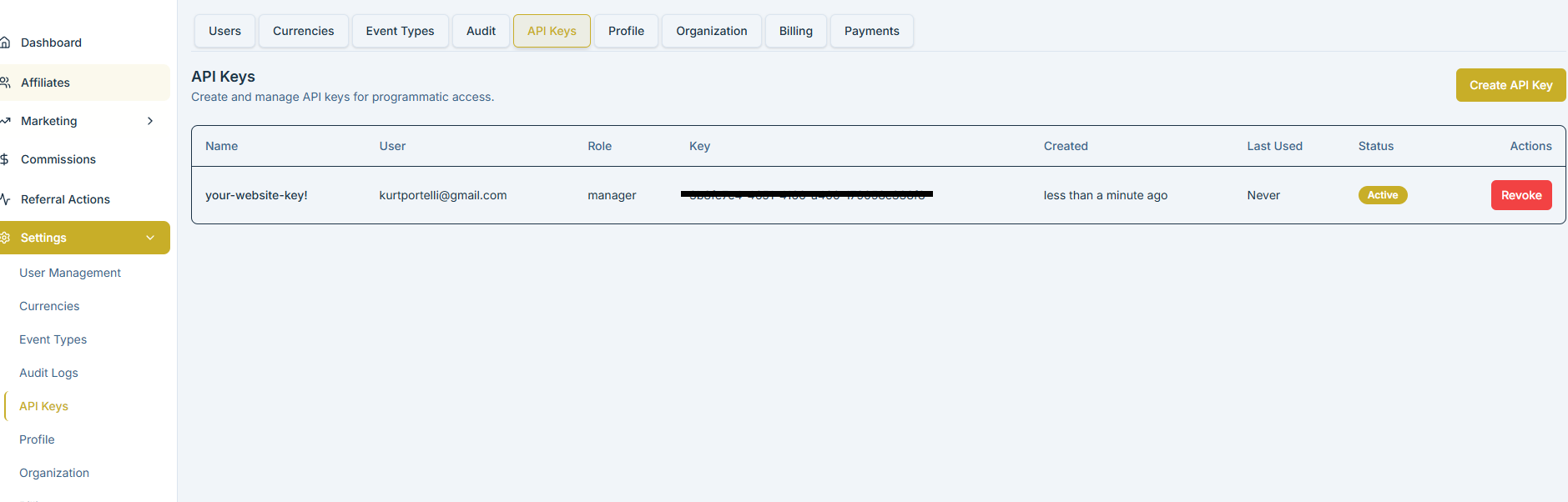
Create a Ref247 account from the dashboard, navigate to the settings and get your Manager API Key and Secret.
2. Install the Plugin
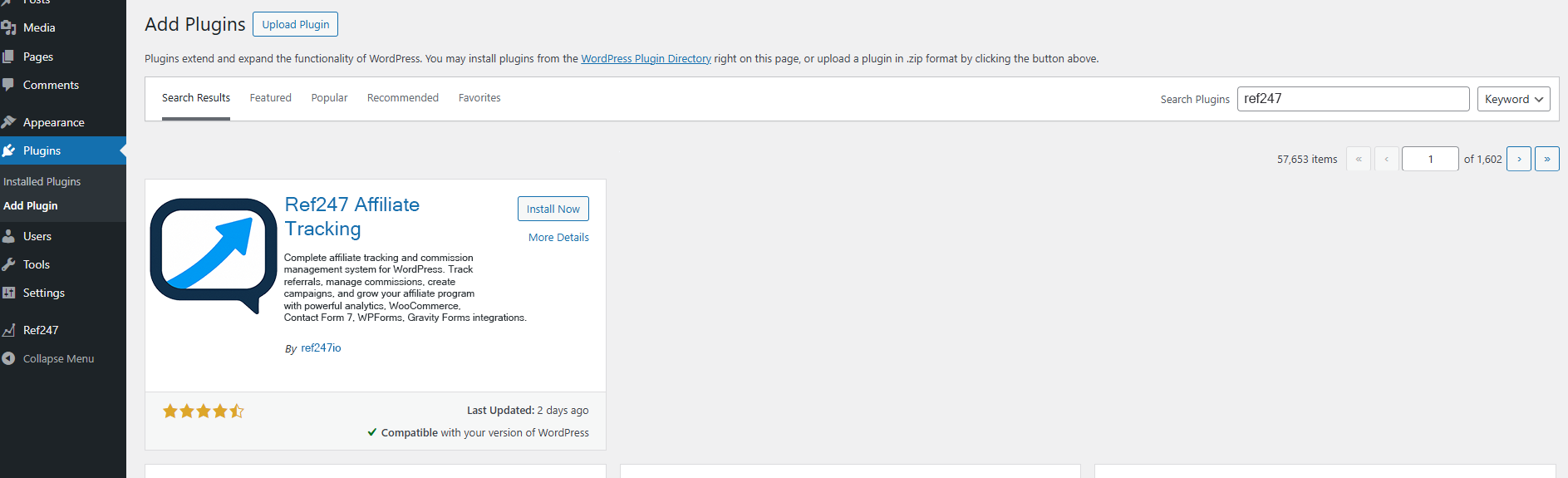
Navigate to the WordPress plugin directoryhttps://wordpress.org/plugins/ref247-affiliate-tracking/ and install the Ref247 plugin, or download the plugin from ref247-wordpress-plugin github directly.
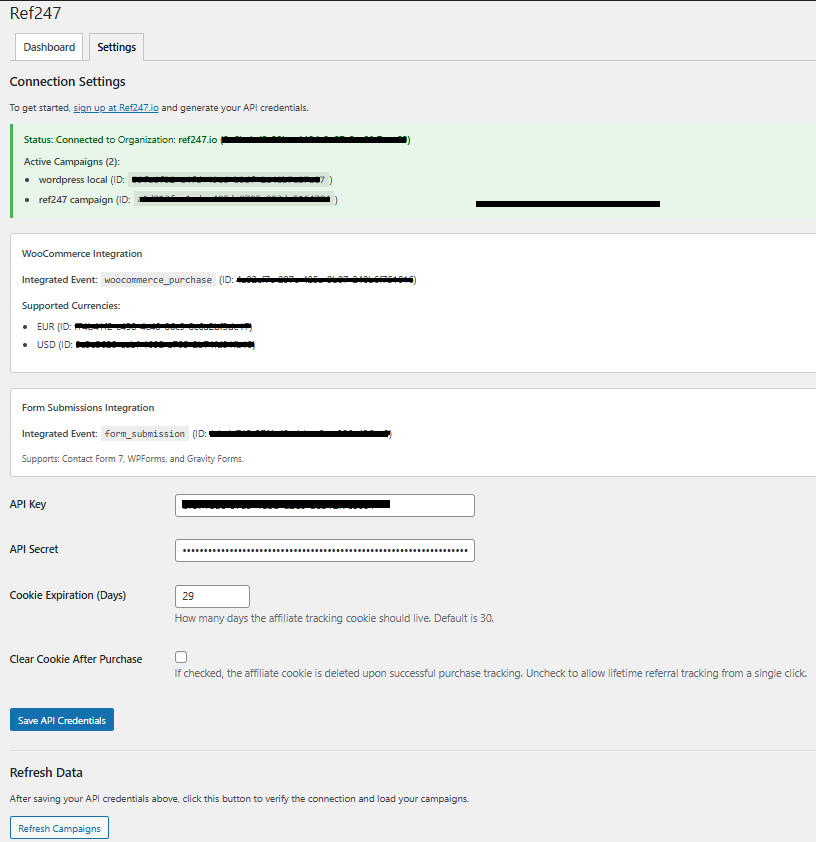
3. Configure Your API Credentials
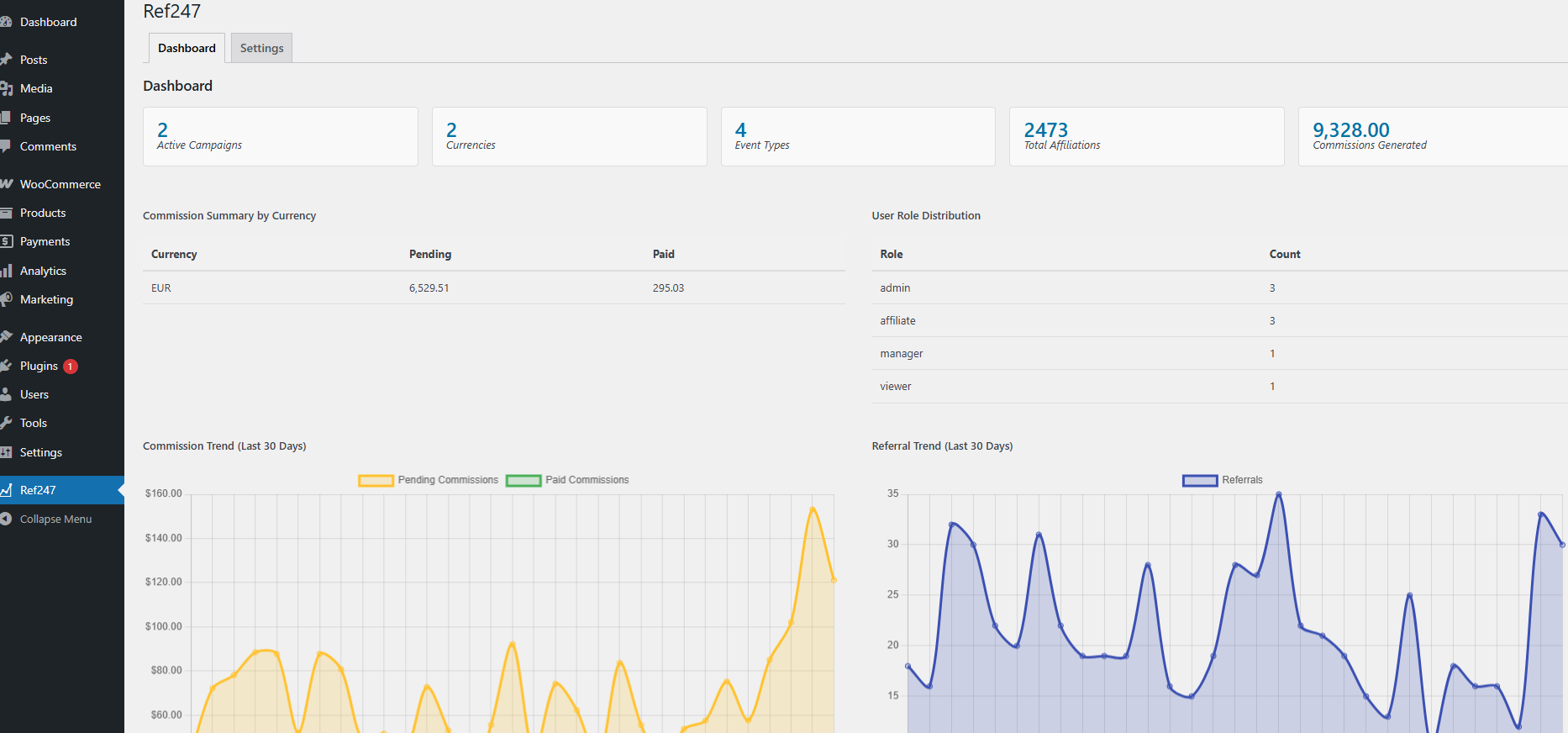
4. Monitor Performance in Real-Time
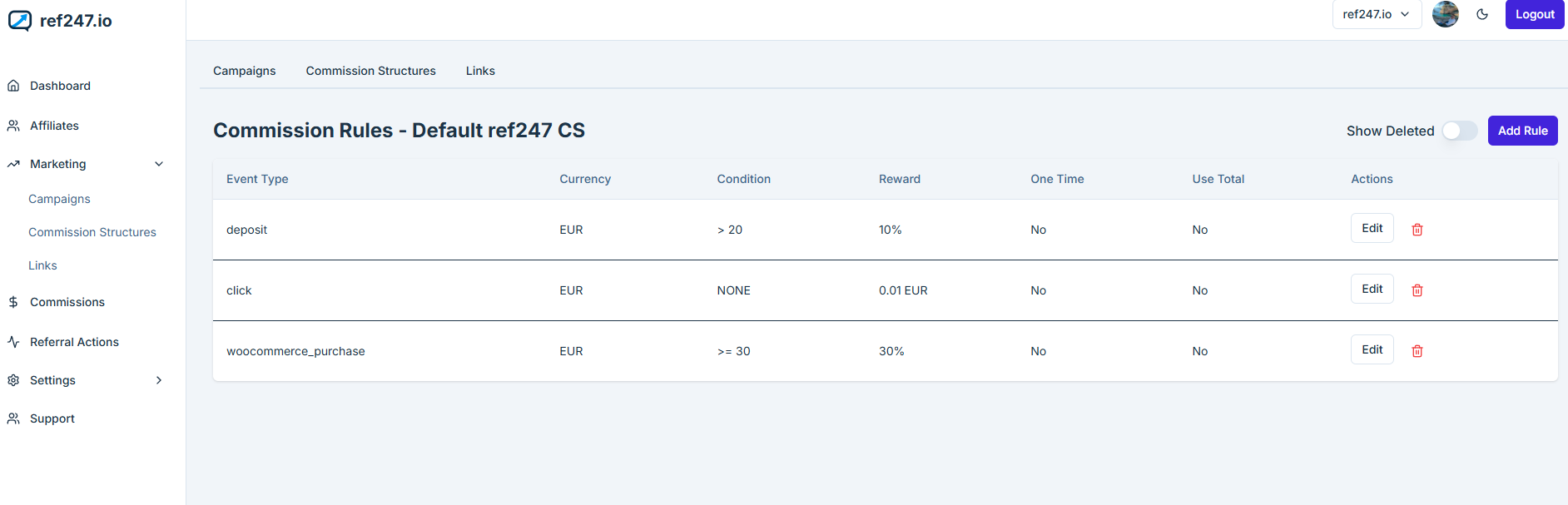
5. Customize Commission Rules
Powerfully Integrated Tracking
Ref247 for WordPress isn't just another plugin; it's a bridge between your marketing efforts and the powerful analytics of Ref247.io.
- WooCommerce Integration: Let WooCommerce orders trigger conversions automatically. Associate campaigns with products and track every sale.
- Leading Form Support: Integrated with Contact Form 7, WPForms, and Gravity Forms out of the box.
- Cookie-Based Tracking: Robust referral tracking ensures your affiliates get credited for every sale they drive.
Shortcodes & Frontend Components
Want to let your users sign up as affiliates? We've got you covered with easy-to-use shortcodes.
[ref247_signup]
Inserts a customizable affiliate registration form on any page.
Anyone registering as an affiliate will receive an email to complete their registration on Ref247.io. They will receive an account within your organization, and will be able to generate affiliate links and market your products!